
توضیحات
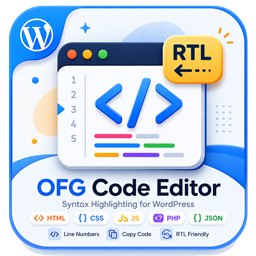
OFG Code Editor provides a consistent way to publish code snippets in WordPress.
Features:
- Gutenberg block for formatted code output.
- Classic editor button for inserting the shortcode template.
- Shortcode support via
[ofgcodeeditor_code]. - Copy button and line numbers on the frontend.
- Responsive code box layout with light and dark friendly styling.
عکسهای صفحه


بلوکها
این افزونه 1 بلوک ارائه میدهد.
- OFG Code Editor
نصب
- Upload the plugin files to the
/wp-content/plugins/ofg-code-editordirectory, or install the plugin through the WordPress plugins screen. - Activate the plugin through the
Pluginsscreen in WordPress. - Insert the
OFG Code Editorblock in Gutenberg or use the classic editor helper button.
سوالات متداول
-
Which shortcode should I use?
-
Use
[ofgcodeeditor_code language="html"]...[/ofgcodeeditor_code]. -
Can I change the visible label?
-
The plugin uses a fixed header label: OFG Code Editor Plugin.
نقد و بررسیها
نقد و بررسیای برای این افزونه یافت نشد.
توسعه دهندگان و همکاران
“OFG Code Editor” نرم افزار متن باز است. افراد زیر در این افزونه مشارکت کردهاند.
مشارکت کنندگان
ترجمه “OFG Code Editor” به زبان شما.
علاقه مند به توسعه هستید؟
کد را مرور کنید, را بررسی کنید مخزن SVN, یا مشترک شوید گزارش توسعه توسط RSS.
گزارش تغییرات
1.0.3
- Updated plugin tested version metadata.
1.0.2
- Updated plugin metadata for WordPress.org review.
- Removed the legacy generic shortcode alias.
- Removed the unnecessary wrapper around the plugin class.
1.0.1
- Removed manual textdomain loading.
1.0.0
- Initial release.