

توضیحات
Albi Forms is a user-friendly form builder that helps you create responsive forms without writing code.
Key Features
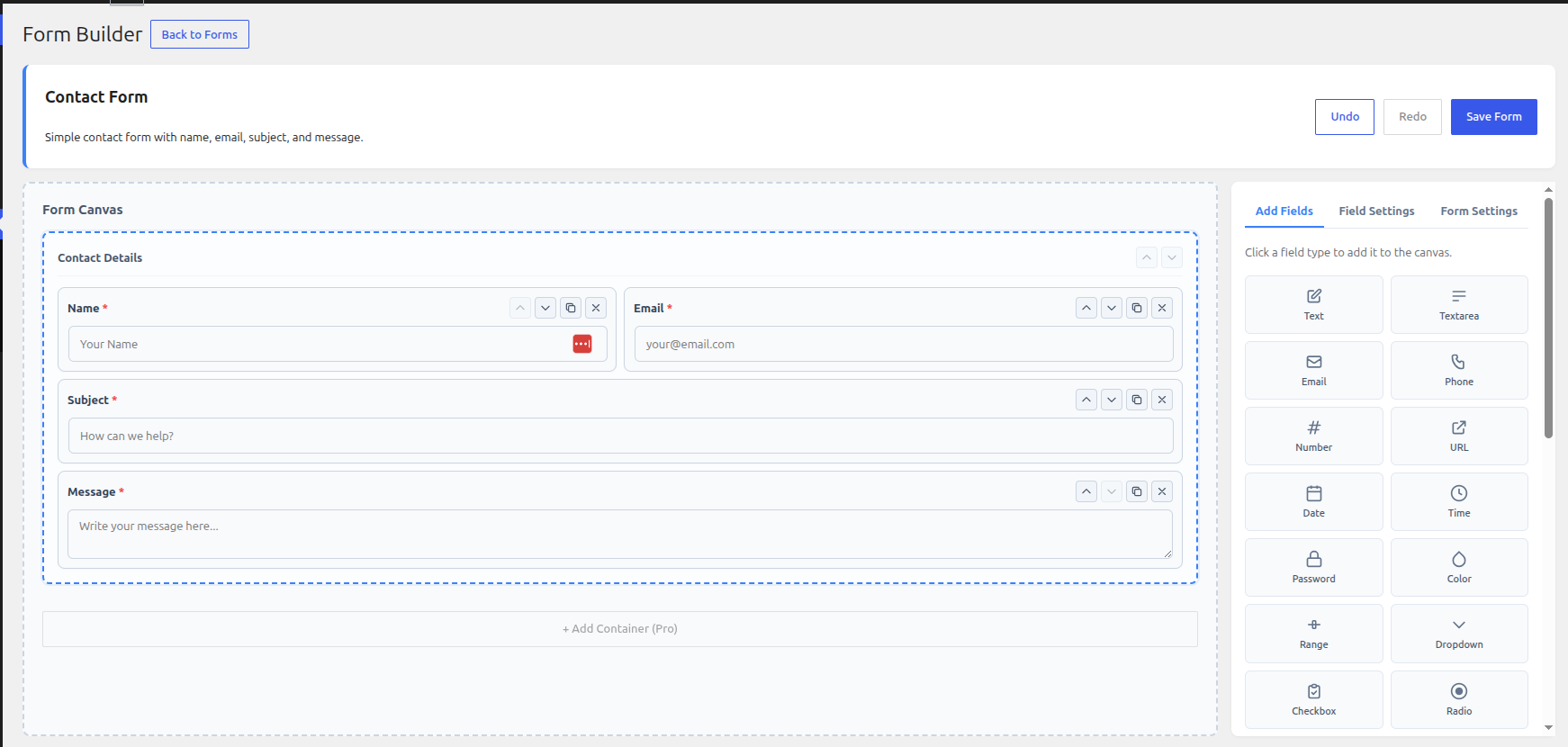
- Drag-and-drop form builder — Build forms visually in the admin.
- Field types — Text, email, phone, number, textarea, dropdown, radio, checkbox, date, time, URL, file upload, and more.
- Multi-step forms — Split long forms into steps with a progress indicator.
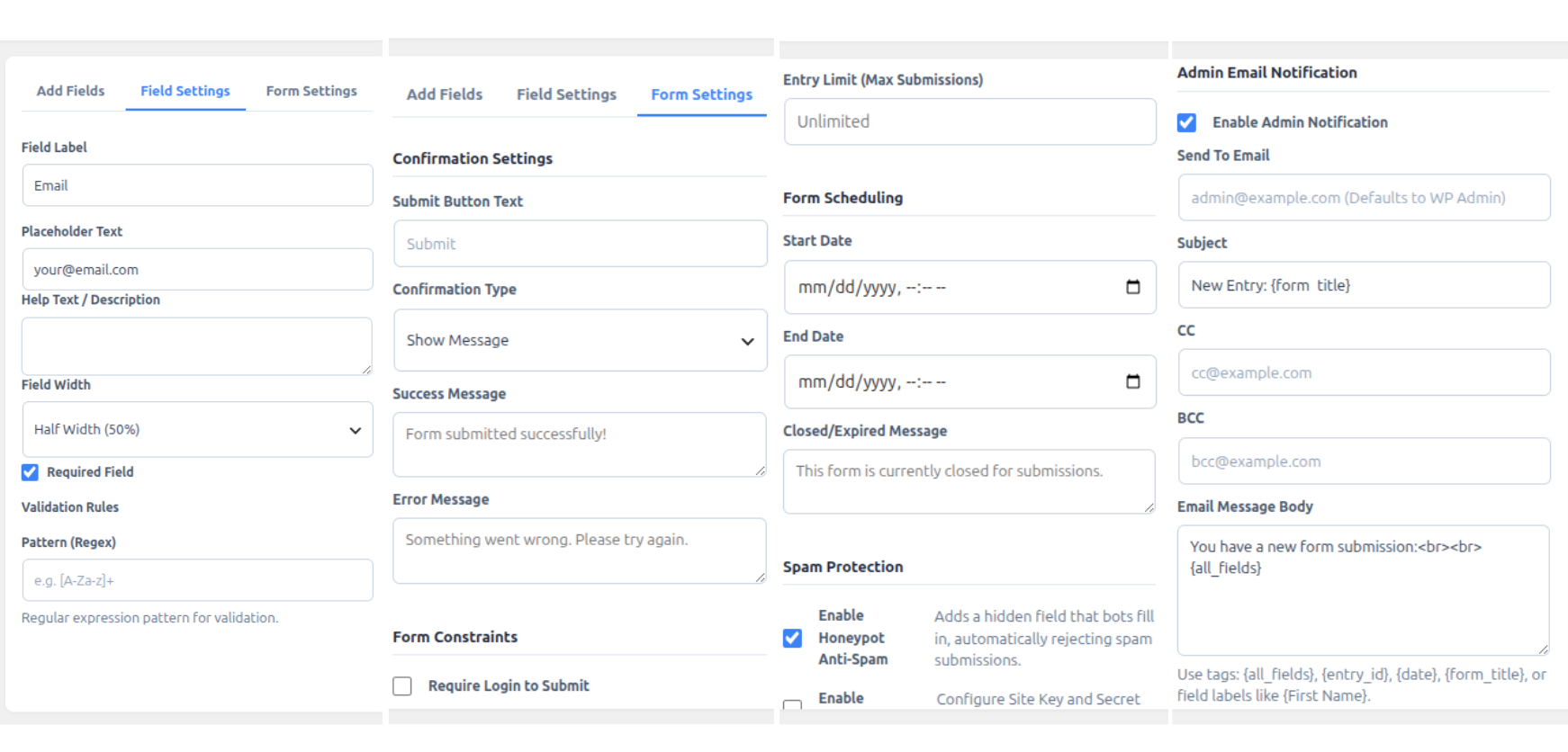
- Email notifications — Send customizable notifications when a form is submitted.
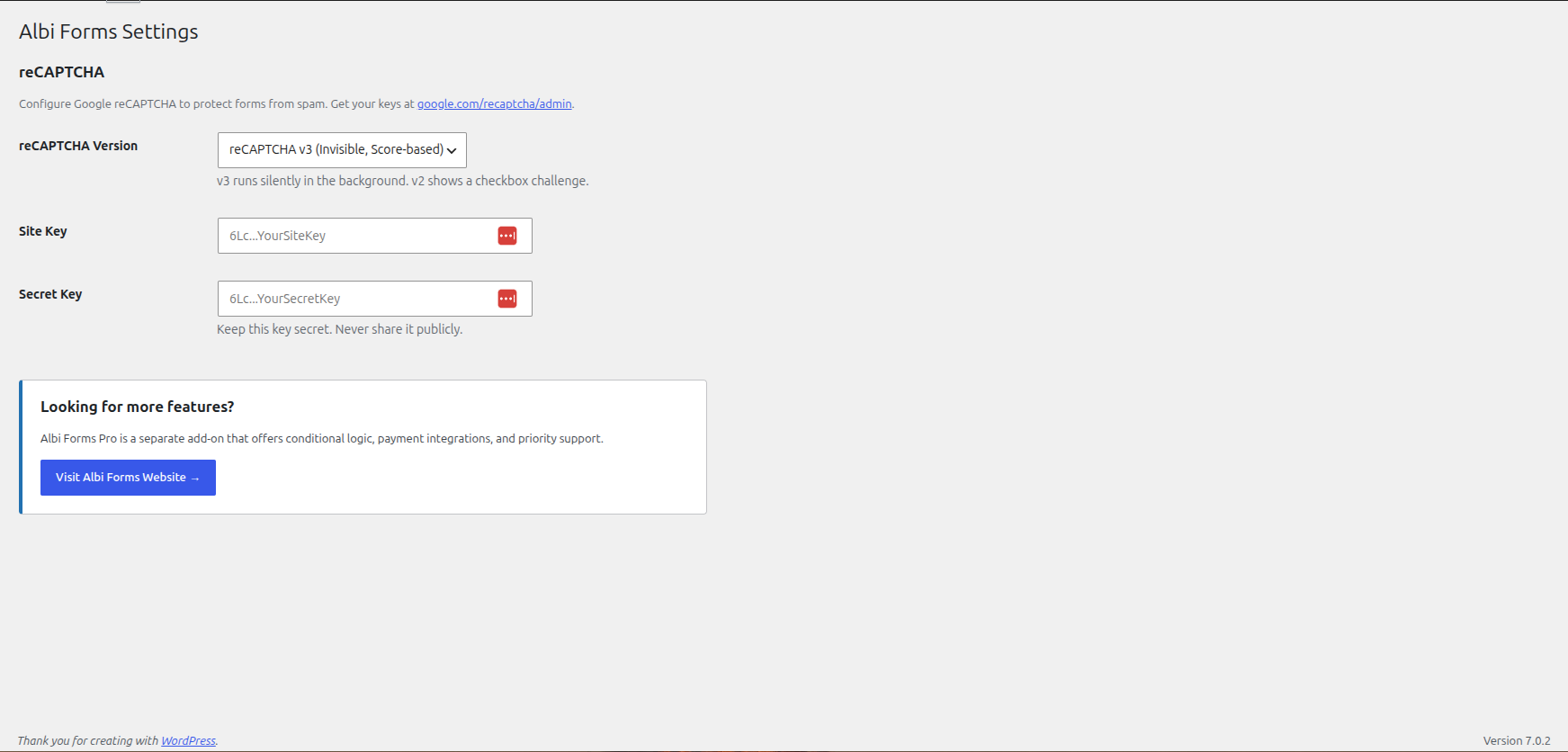
- Spam protection — Built-in honeypot and optional Google reCAPTCHA (v2 / v3).
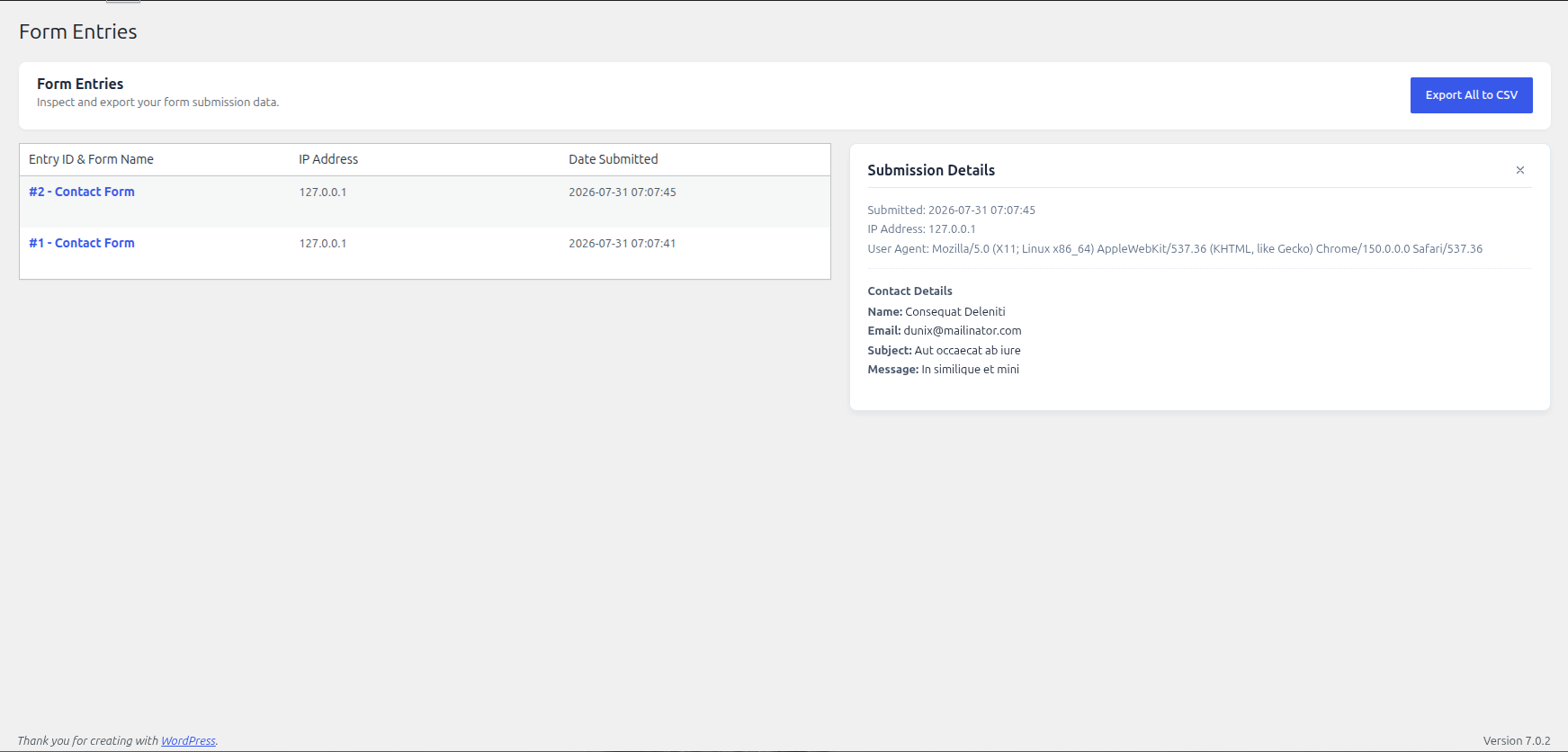
- Entries management — View, search, and export submissions from the admin.
- Import / export — Export forms as JSON and import them on another site.
- Form templates — Start quickly with ready-made templates.
- Shortcode & block — Embed forms with a shortcode or the block editor block.
- Scheduling & limits — Optionally require login, set entry limits, and schedule open/close times.
Privacy
Albi Forms stores form submissions (and optionally IP address / user agent) in your site database. You can export or erase that data via Tools Export Personal Data / Erase Personal Data. See the Privacy Policy section for details.
External services
This plugin optionally uses an external service for spam protection on form submissions: Google reCAPTCHA.
- Google reCAPTCHA (v2 / v3)
- Service Function: Protects forms against automated spam and bot submissions.
- Data Sent & When: When reCAPTCHA is enabled on a form, the reCAPTCHA JavaScript file is loaded from
https://www.google.com/recaptcha/api.json pages displaying the form. Upon form submission, the reCAPTCHA response token and user IP address are transmitted tohttps://www.google.com/recaptcha/api/siteverifyto verify the submission. - Terms of Service: https://policies.google.com/terms
- Privacy Policy: https://policies.google.com/privacy
عکسهای صفحه
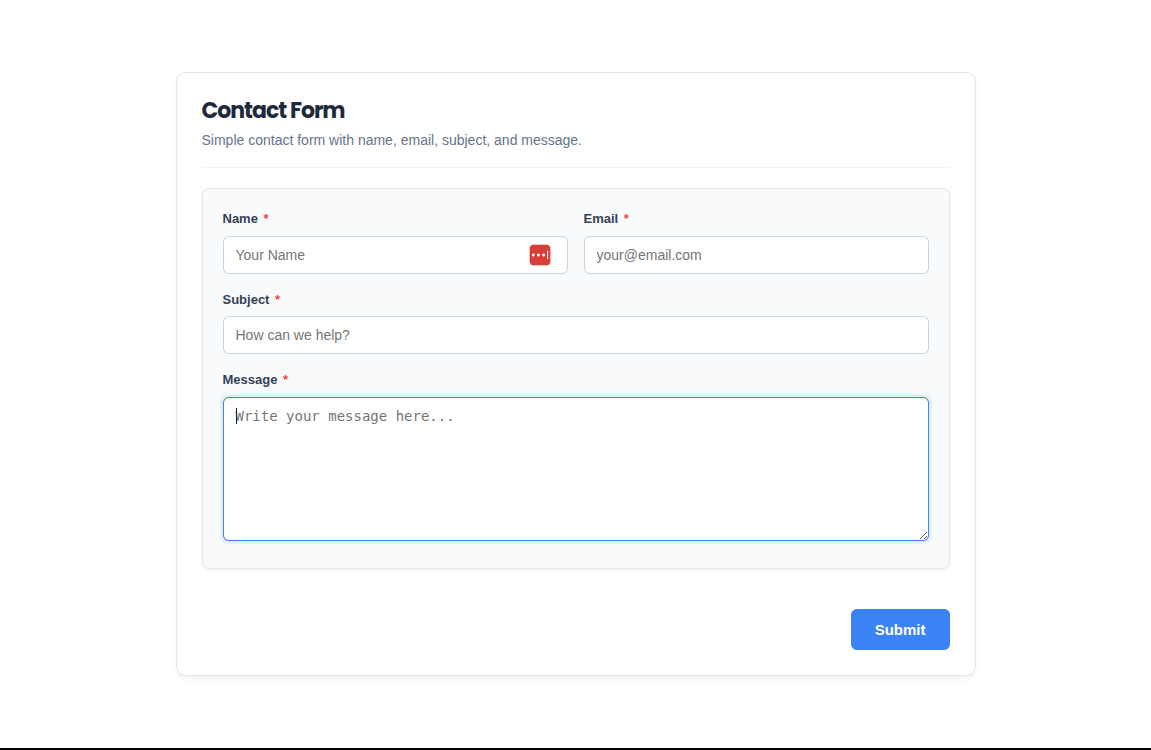
بلوکها
این افزونه 1 بلوک ارائه میدهد.
- Albi Form Select and display an Albi Form on your page.
نصب
- Upload the
albi-formsfolder to the/wp-content/plugins/directory, or install the plugin through the Plugins screen. - Activate the plugin through the Plugins menu.
- Go to Albi Forms Add New to create your first form.
- Embed the form with the shortcode shown on the form list, or use the Albi Forms block in the block editor.
سوالات متداول
-
How do I add a form to a page?
-
Copy the form shortcode from Albi Forms All Forms, or insert the Albi Forms block in the block editor and select a form.
-
Does Albi Forms support reCAPTCHA?
-
Yes. Add your Google reCAPTCHA site and secret keys under Albi Forms Settings, then enable reCAPTCHA per form in Form Settings.
-
Where are submissions stored?
-
Entries are stored in custom database tables on your site. You can view and export them under Albi Forms Entries.
-
Does uninstalling delete my data?
-
Yes. Uninstalling the plugin removes custom tables, plugin options, and uploaded form files. Export anything you need before uninstalling.
-
Is there a Pro version available?
-
Yes. Albi Forms Pro is an optional separate add-on for users who need conditional logic, payment integrations, webhooks, and priority support. The free Albi Forms plugin hosted here is 100% free and fully functional on its own.
نقد و بررسیها
نقد و بررسیای برای این افزونه یافت نشد.
توسعه دهندگان و همکاران
“Albi Forms” نرم افزار متن باز است. افراد زیر در این افزونه مشارکت کردهاند.
مشارکت کنندگان
ترجمه “Albi Forms” به زبان شما.
علاقه مند به توسعه هستید؟
کد را مرور کنید, را بررسی کنید مخزن SVN, یا مشترک شوید گزارش توسعه توسط RSS.
گزارش تغییرات
1.0.0
- Initial release.