
توضیحات
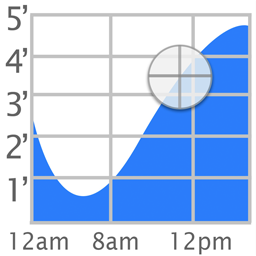
The popular iOS Tide Graph app is now available as a WordPress widget.
عکسهای صفحه

نصب
To install Tide Graph,
- Upload
tide-graph.phpto the/wp-content/plugins/directory - Activate the plugin through the ‘Plugins’ menu in WordPress
- Go to Appearance->Widgets and enable the Tide Graph widget.
- To change the settings, go to Appearance->Customize->Widgets. Then select on the area where your widget (ex. Footer). Finally select Tide Graph Widget to see the options: Background, Scale, Location, Latitude, and Longitude.
سوالات متداول
- How do I change the location
-
Click on the map button and select a new location. Then highlight the name of the station that appears above the graph.
- What colors are allowed
-
Colors can be white, black, transparent, or a 6 digit hex value preceeded by a # sign (ex. #FFFFFF)
نقد و بررسیها

جولای 23, 2018
I use this plug-in on a local website (LBI) for use by people visiting the Bay and Ocean side for fishing. Although the plug-in has not been updated in two years, it is still useful and runs on WordPress 4.9.7 with no apparent issues.
توسعه دهندگان و همکاران
“Tide Graph” نرم افزار متن باز است. افراد زیر در این افزونه مشارکت کردهاند.
مشارکت کنندگان
ترجمه “Tide Graph” به زبان شما.
علاقه مند به توسعه هستید؟
کد را مرور کنید, را بررسی کنید مخزن SVN, یا مشترک شوید گزارش توسعه توسط RSS.
گزارش تغییرات
1.0
- Initial Release
1.1
- Fixed widths of input fields
1.4
- Added icons and banner
2.0
- Added support for php 7