

توضیحات
PixoNex Clean Popup is a lightweight and user-friendly WordPress popup plugin that helps you display beautiful, attention-grabbing popups on selected pages without writing any code.
Whether you want to promote an offer, show important announcements, display contact information, or highlight special content, PixoNex Clean Popup gives you full control through an intuitive admin panel.
Designed with performance and simplicity in mind, the plugin loads assets only where needed and provides extensive customization options to match your website’s branding.
Features
- Enable or disable popups with a single click.
- Display popups only on selected WordPress pages.
- Set a custom popup delay after page load.
- Choose any Font Awesome icon using the built-in icon picker.
- Customize popup background color.
- Customize icon color independently.
- Add a custom popup heading and description text.
- Customize heading and paragraph text colors.
- Create custom popup buttons.
- Customize button background and text colors.
- Add Font Awesome icons inside buttons.
- Choose button icon position (left or right).
- Make buttons open custom URLs.
- Open button links in a new browser tab.
- Live preview inside the admin settings panel.
- Responsive design for desktop, tablet, and mobile devices.
- Keyboard accessibility support (Escape key to close).
- Clean and modern popup design.
- Lightweight and optimized performance.
- No coding knowledge required.
Perfect For
- Website announcements
- Promotional offers
- Welcome messages
- Service highlights
- Contact information popups
- Event notifications
- Product promotions
- Marketing campaigns
- Lead generation pages
Why Choose PixoNex Clean Popup?
Unlike many popup plugins that include unnecessary complexity, PixoNex Clean Popup focuses on simplicity, performance, and ease of use. It provides the essential features needed to create attractive popups while keeping your website fast and user-friendly.
Simply configure your popup, select the pages where it should appear, and you’re ready to go.
عکسهای صفحه

Popup Preview 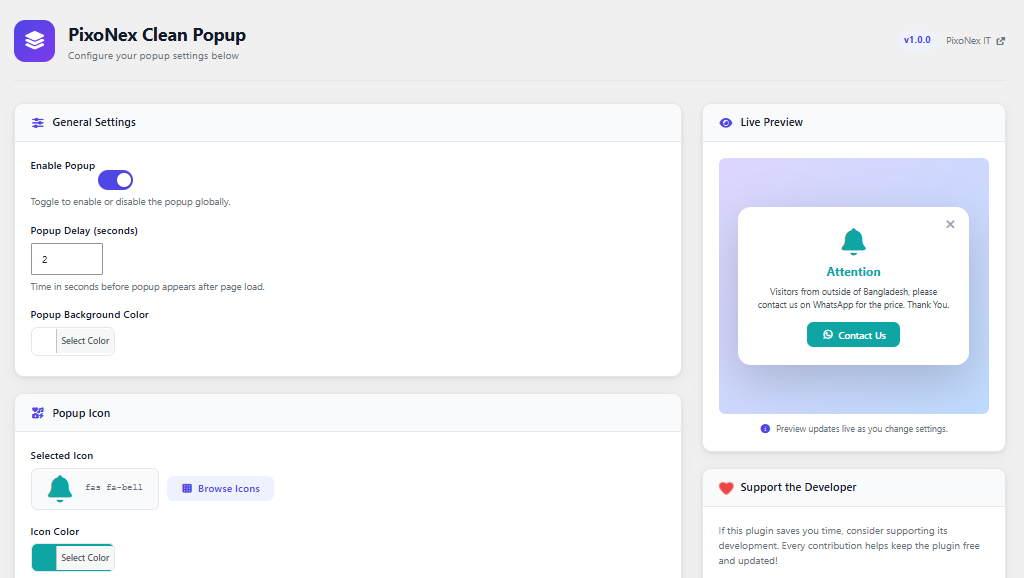
Popup Settings panel 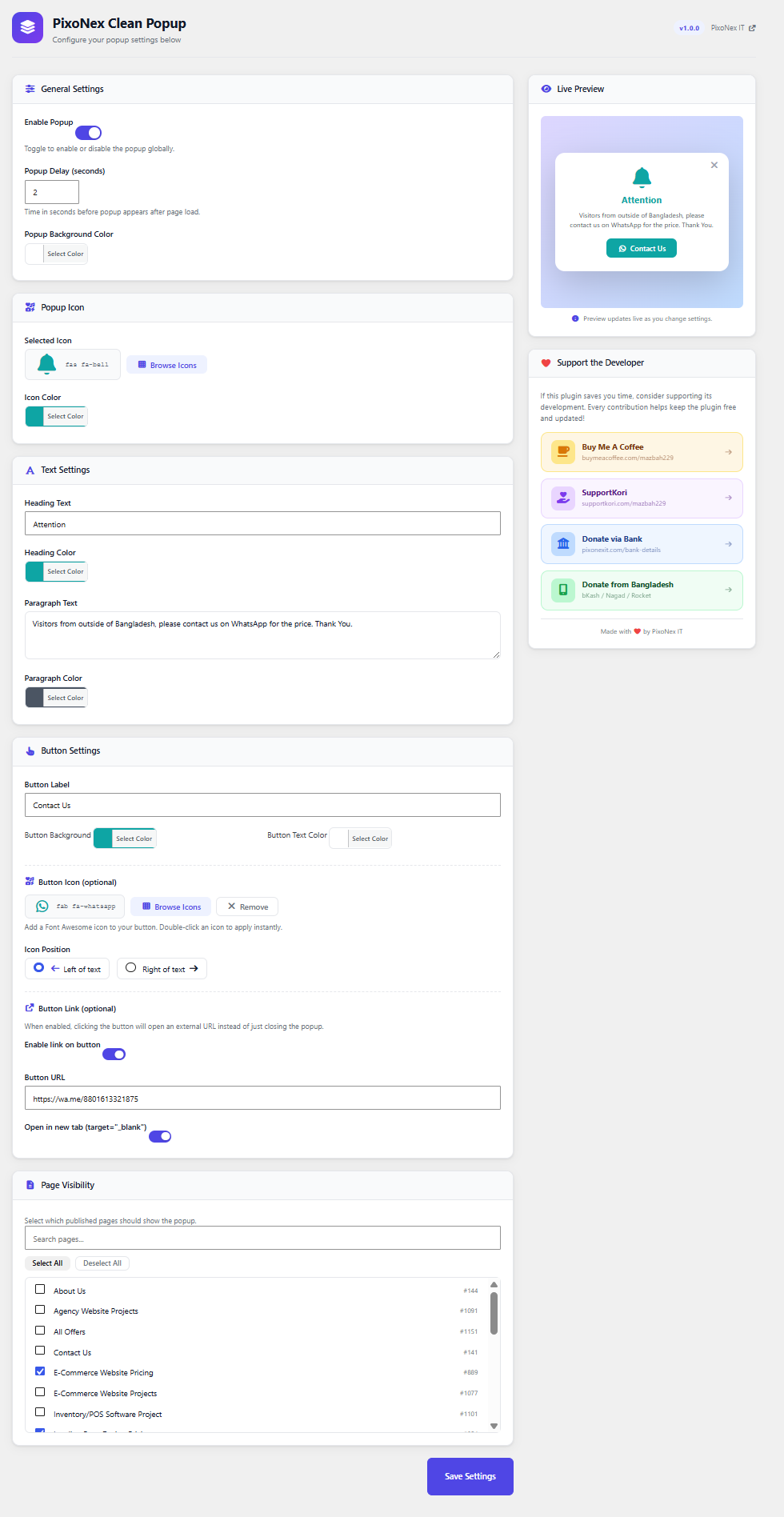
Full settings options
نصب
- Upload the
pixonex-clean-popupfolder to the/wp-content/plugins/directory, or install via the WordPress Plugins screen. - Activate the plugin through the Plugins screen in WordPress.
- Go to Clean Popup from dashboard menu to configure your popup.
سوالات متداول
-
Will the popup show on every page?
-
No. You must select specific pages under Clean Popup Page Visibility. The popup will only appear on those pages.
-
Can I change the icon?
-
Yes. Click Browse Icons in the admin settings to open the Font Awesome icon picker and choose any icon you like.
-
Can I change colors?
-
Yes. You can independently change the icon color, heading color, paragraph color, button background color, and button text color using the built-in color pickers.
-
Does the popup reappear every visit?
-
Yes. The popup shows on every page load (after the configured delay). If you want to suppress it for returning visitors, you can extend the plugin with a session cookie approach.
-
Is Font Awesome loaded on every page?
-
No. Font Awesome and all other plugin assets are only enqueued on the pages you select.
نقد و بررسیها
نقد و بررسیای برای این افزونه یافت نشد.
توسعه دهندگان و همکاران
“PixoNex Clean Popup” نرم افزار متن باز است. افراد زیر در این افزونه مشارکت کردهاند.
مشارکت کنندگان

ترجمه “PixoNex Clean Popup” به زبان شما.
علاقه مند به توسعه هستید؟
کد را مرور کنید, را بررسی کنید مخزن SVN, یا مشترک شوید گزارش توسعه توسط RSS.
گزارش تغییرات
1.0.0
- Initial release.
2.0.0
- Fixed some issues related to font awesome icon.
2.0.1
- Fixed background effect bug.
2.0.2
- Added button link enable/disable option.