
توضیحات
Font Finder for WhatFontIs helps you identify matching fonts from:
- an image URL, or
- an uploaded image file.
The plugin connects to the WhatFontIs.com API and returns a list of matching fonts with preview images and links to font pages.
Features:
- Admin settings page for API key and default result limit
- URL image lookup
- Upload image lookup (base64 to API)
- Adjustable results limit (1-20)
- Frontend shortcode: [whatfontis_font_finder]
- Source image preview for easier visual comparison
- Admin page and frontend results UI
عکسهای صفحه
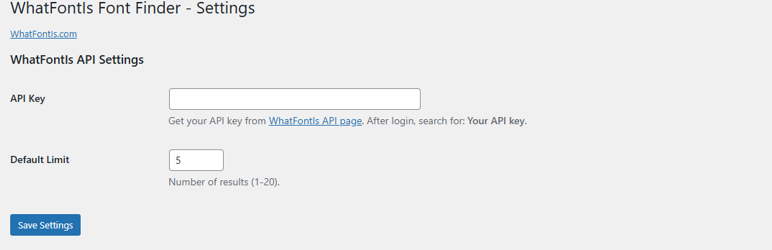
Main Settings. 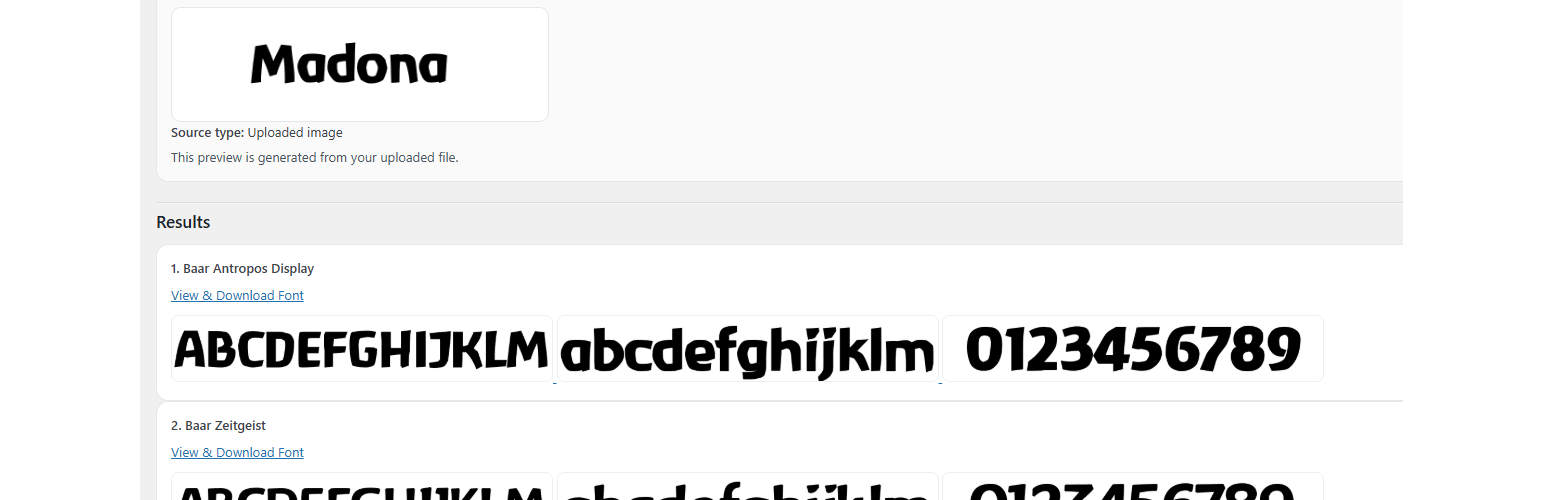
Results list.
نصب
- Upload the plugin folder to /wp-content/plugins/
- Activate the plugin in WordPress admin
- Go to Font Finder > Settings
- Paste your WhatFontIs API key and save
- (Optional) Add shortcode [whatfontis_font_finder] to any page
سوالات متداول
-
Where do I get the API key?
-
Log in on WhatFontIs and open:
https://www.whatfontis.com/API-identify-fonts-from-image.htmlThen search for: Your API key.
-
Which file types are supported for upload?
-
JPG, JPEG, PNG, GIF, WEBP, BMP.
-
What happens if I provide both URL and upload?
-
Uploaded image has priority and is sent as base64.
-
Is there a shortcode for frontend usage?
-
Yes. Use: [whatfontis_font_finder].
نقد و بررسیها
نقد و بررسیای برای این افزونه یافت نشد.
توسعه دهندگان و همکاران
“Font Finder for WhatFontIs” نرم افزار متن باز است. افراد زیر در این افزونه مشارکت کردهاند.
مشارکت کنندگان
ترجمه “Font Finder for WhatFontIs” به زبان شما.
علاقه مند به توسعه هستید؟
کد را مرور کنید, را بررسی کنید مخزن SVN, یا مشترک شوید گزارش توسعه توسط RSS.
گزارش تغییرات
1.6.4
- Prefixed main plugin class name for WordPress coding standards
1.6.3
- Fixed source preview sanitization/output flow for uploaded images
- Added stricter escaping strategy for rendered HTML blocks
- Improved Plugin Check compatibility for nonce/input checks
- Minor hardening and cleanup for submission readiness
1.6.0
- Renamed plugin and text domain for directory compliance
- Improved input validation and sanitization flow
- Removed remote UI assets from plugin pages
- Kept frontend source preview and result cards
- Updated compatibility notes for PHP 7.0+
1.5.4
- PHP 7.0 compatibility update
- Added fallback when mbstring is unavailable
- Improved request-method guards
1.5.3
- Removed loading overlay
- Improved frontend results flow