

توضیحات
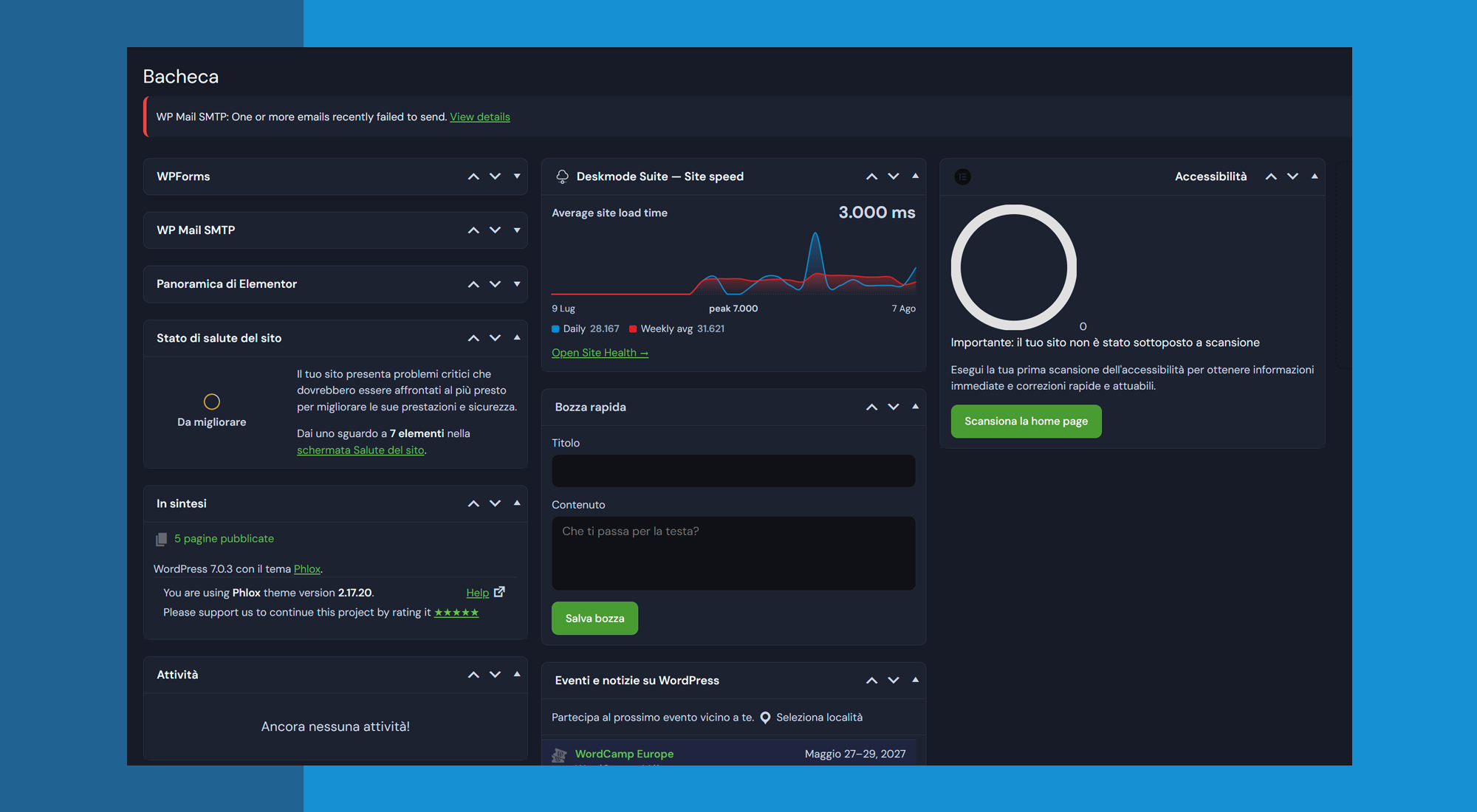
The dashboard is the part of your work that clients see every single day, and by
default it looks like everyone else’s. Deskmode Suite changes that, and adds the
tools you would otherwise install three separate plugins for.
Everything happens in the admin area. Your public site is never touched: no
changes to your theme, and no scripts added to the pages your visitors see.
Dashboard theme
Three accent colours, chosen from the admin bar on any screen. The colour flows
through the menu, buttons, panels and charts, so you pick it once. Where the
accent is used as a background, the text colour is calculated from the
background’s luminance rather than assumed, so it always clears the contrast
ratio the WCAG require.
Dark mode, per user
A floating button flips the whole dashboard, instantly and without a reload. The
preference belongs to each user rather than the site, so you can work in dark
while a colleague works in light. It steps back on two screens on purpose: the
theme customizer, where a dark frame would skew your reading of the colours you
are choosing, and Elementor, which forces a light background on its own panels.
Menu customizer
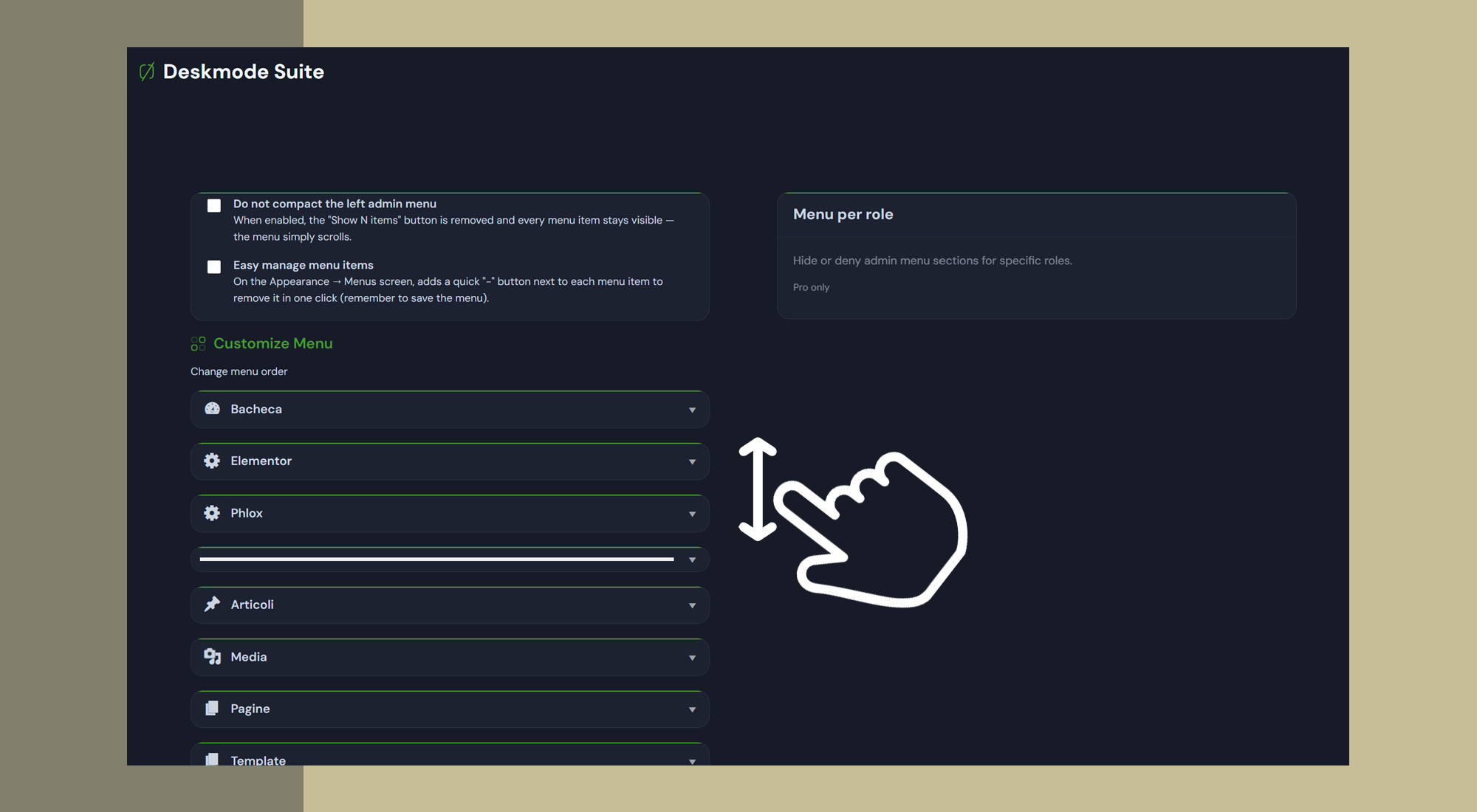
Drag items into order, rename them into words your client understands, change the
icon, and hide the ones nobody needs. Counters for pending updates and comments
stay attached to their items and keep working. On the Menus screen you also get
two buttons per item, to remove one or to
duplicate a menu item
in a single click.
Activity log
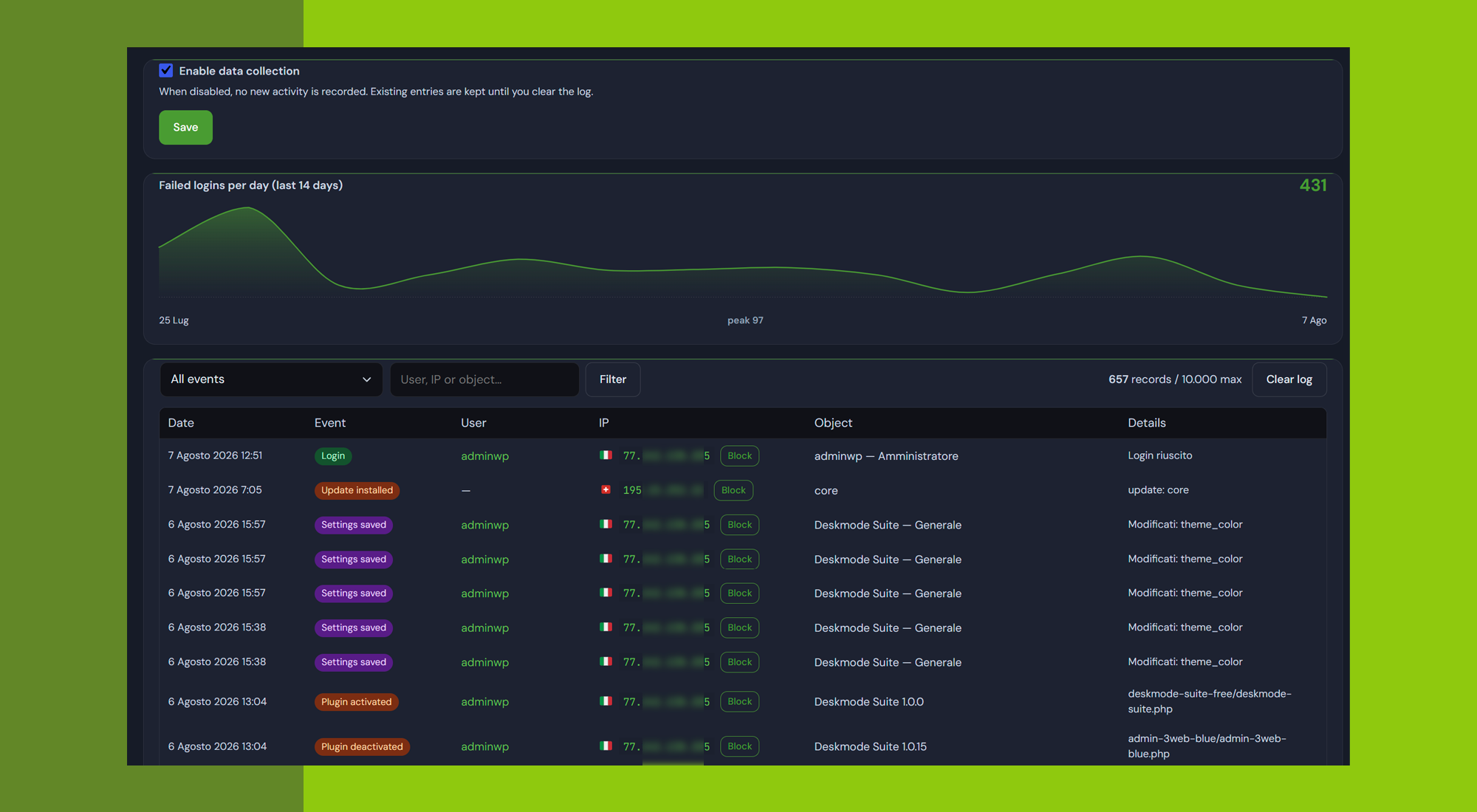
Eighteen event types in one filterable table: sign-ins, failed logins, password
resets, accounts created and deleted, role changes, plugins activated, theme
switches, updates installed, content published or deleted. Each entry records the
user, the IP address and the time. Events go into a dedicated database table
indexed by timestamp, action and IP, rather than into an option row that
WordPress would load and rewrite on every request.
Site health and charts
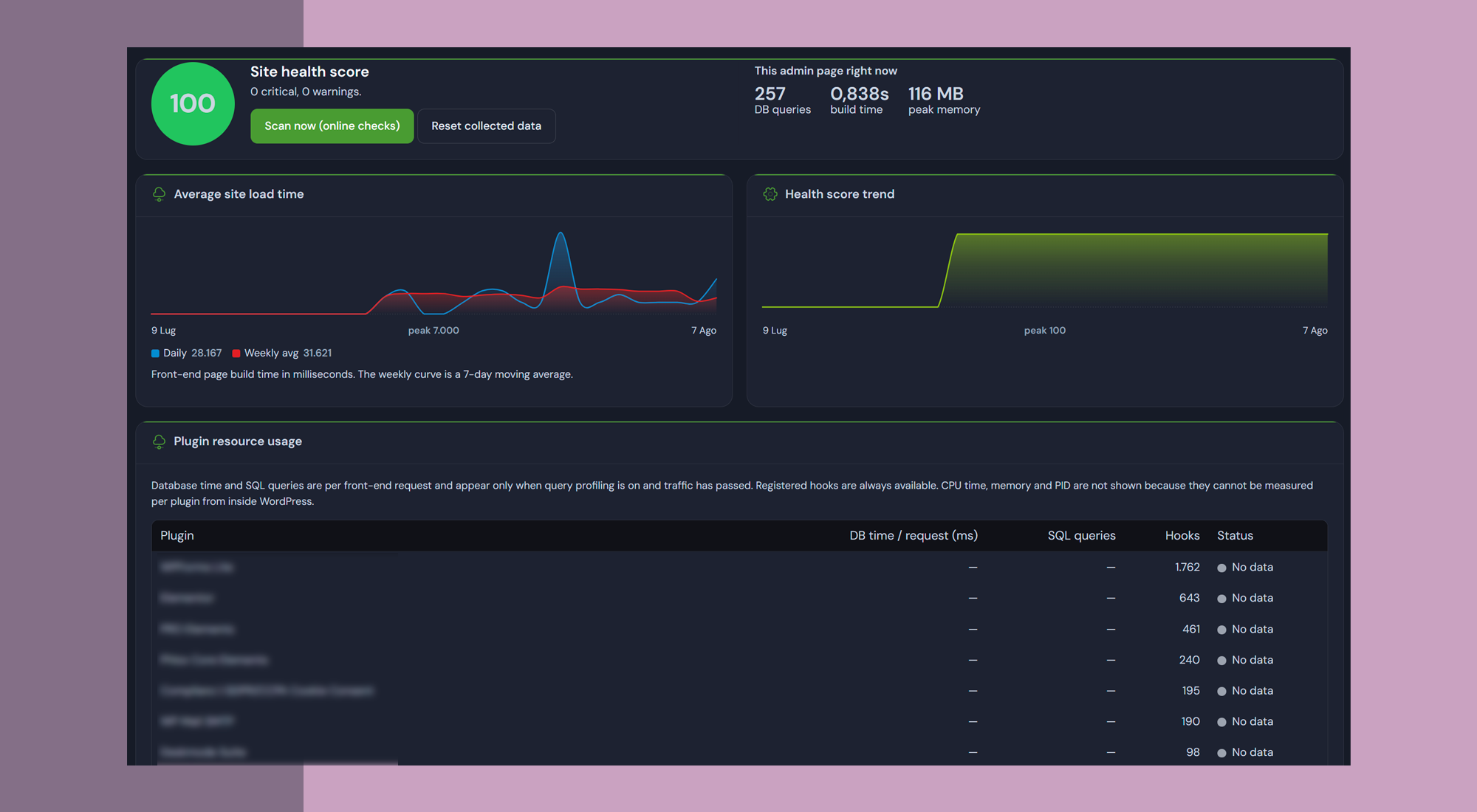
A score out of a hundred with every reason spelled out: PHP version, HTTPS in the
admin, errors visible to visitors, an enabled file editor, the weight of
autoloaded options, pending updates, and the state of the database. Alongside it,
charts of your site’s build time over thirty days and of how the score moves. The
charts are SVG generated on the server, so there is no JavaScript library to
download and they work under strict content security policies.
Maintenance mode
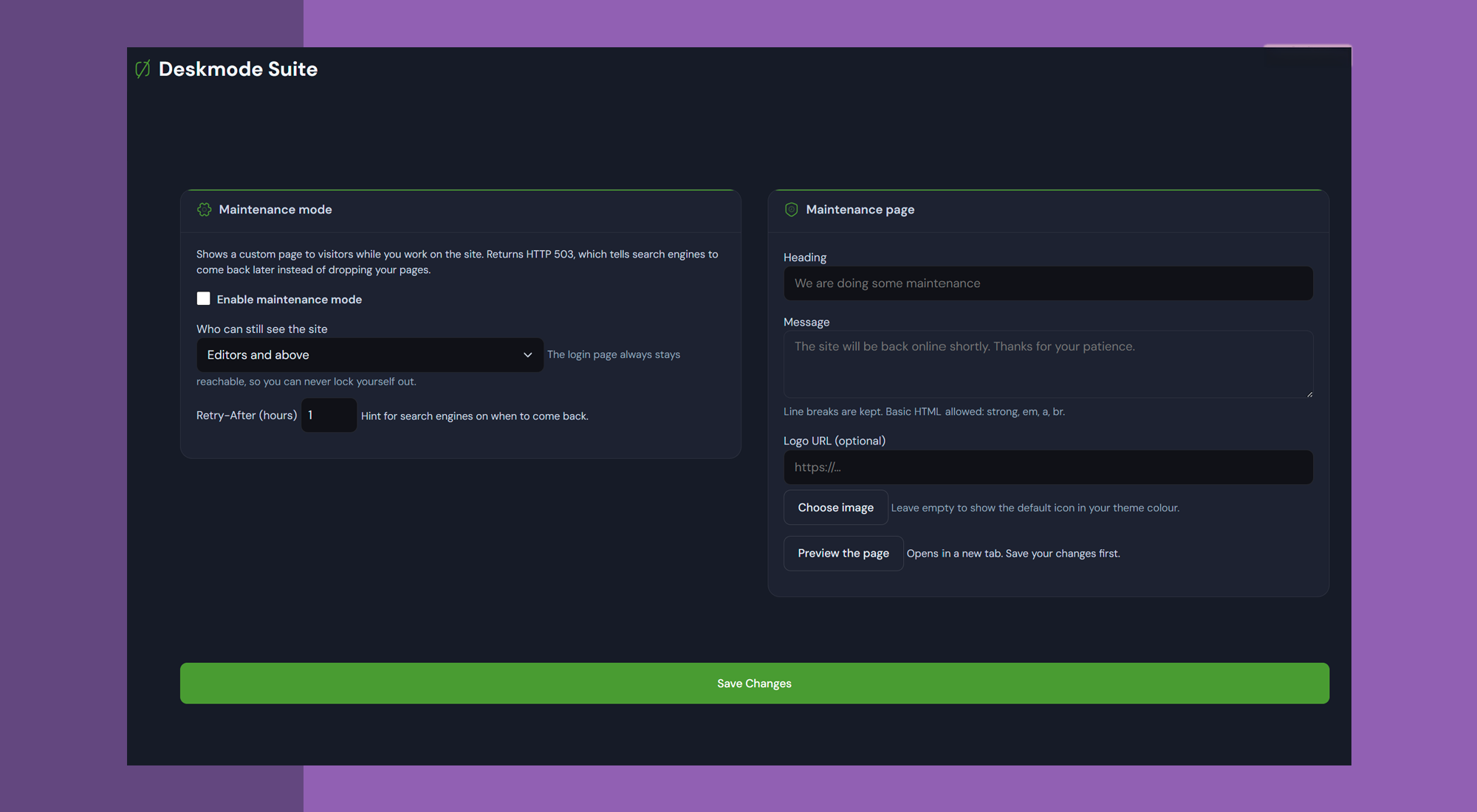
A holding page while you work, served with the correct 503 status and a
Retry-After header, so search engines understand the site is temporarily down
rather than replacing your indexed pages with “back soon”. The login page stays
reachable, so you cannot lock yourself out.
Network tools
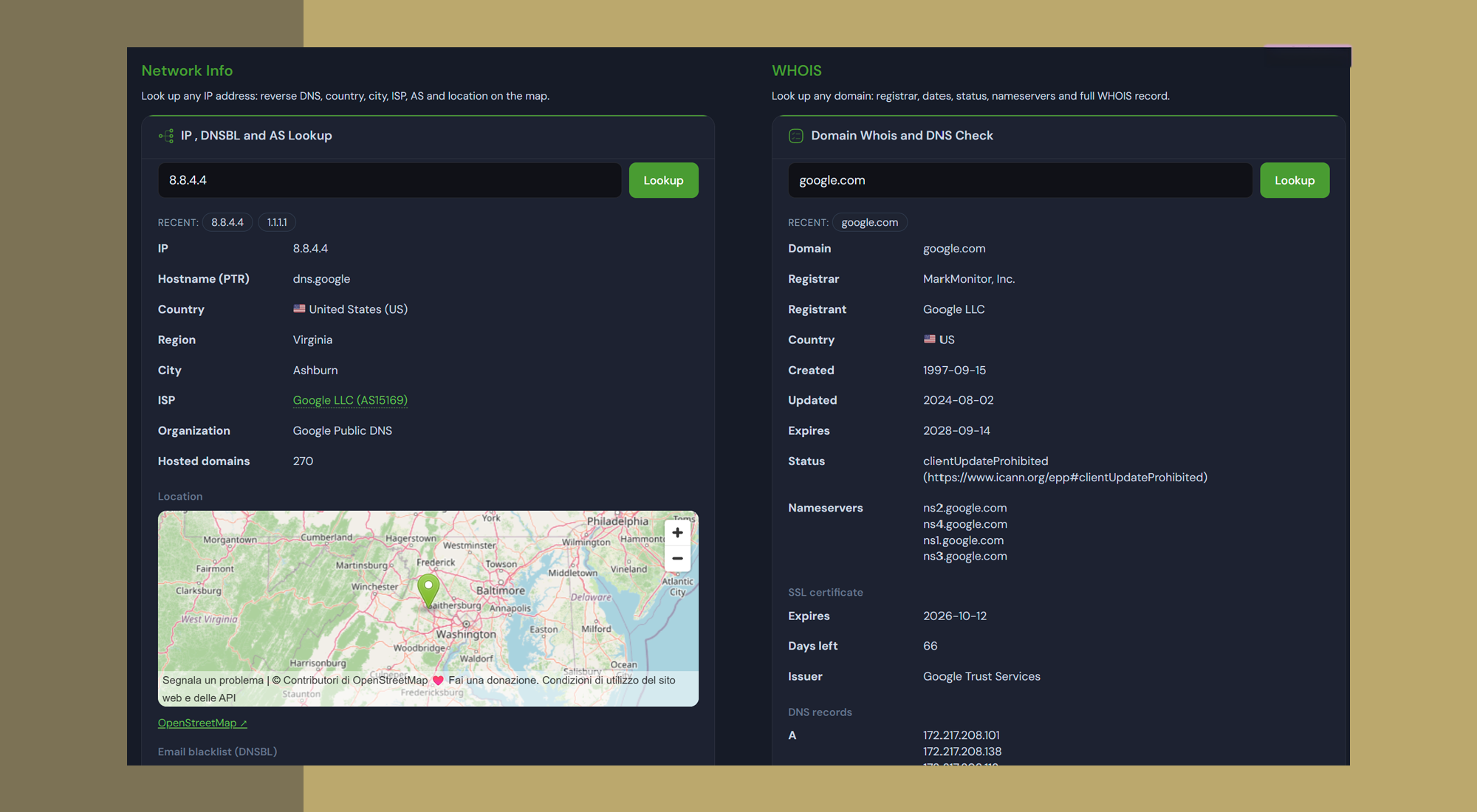
WHOIS over port 43, DNS records, SSL certificate expiry, and
IP lookup with country, ISP and
AS number, all from one screen. Useful when a login attempt
looks suspicious, or when a client asks why their certificate expired.
Honest about the limits
CPU time and memory per plugin are not shown, because from inside WordPress they
cannot be measured reliably. Database time is the slice that genuinely can be
measured, and that is the slice you get. Every module can also be switched off
from wp-config.php, without dashboard access, for when something goes wrong.
Deskmode Suite is built by 3WEB, an Italian company that
has been building and maintaining websites and servers since 1999. Full
documentation and a page for every feature are on the
Deskmode website.
What Deskmode Pro Suite adds
The free version is a complete plugin, not a trial: nothing here expires and
nothing is limited by a quota. If you look after sites for other people, these
are the tools the Pro version adds, and they are the reason it exists.
- Login security – failed-attempt limits, blocklist and allowlist with CIDR notation, allowed login hours, and IP reputation scoring.
- Geofencing – allow logins only from the countries you actually work in, either refusing the attempt or never rendering the login form at all.
- Two-factor authentication – TOTP with any authenticator app, or codes by email, with recovery codes and a captcha on the login form.
- Security email alerts – an email when a login is blocked, and when someone signs in from an address you have never seen before.
- Hardening – block XML-RPC, stop user enumeration, and move wp-login.php to an address of your own.
- Custom login page – your logo, your colours and your copyright on the page your clients see every day.
- 404 page and monitor – a branded 404 page with a search box, and a log of the addresses that trigger it, with hit counts and referrers.
- Security summary widget – blocked attempts, failed logins and the countries they come from, summarised on the dashboard the moment you sign in.
- Plugin notices – collect other plugins’ promotional notices into one line, with per-plugin exceptions, while blocks containing an error stay visible.
- Mail log – every email your site sends, with recipient, subject, outcome and the plugin behind it.
- Backup and restore – database and files to your own S3-compatible storage or FTP, with credentials encrypted at rest.
- Database cleanup – expired transients, largest tables and the heaviest autoloaded options, with only the safe things actually deleted.
- Search and replace – serialization-aware, with a mandatory preview, for changing your site URL after a migration.
- Menu per role – hide admin menu sections for specific roles, or deny access to them properly.
- Twelve accent colours – twelve instead of three, across menus, buttons, charts and the login page.
Details, screenshots and pricing are on the
Deskmode Pro Suite page.
Deskmode Pro Suite is a separate download from our own site: there is no upgrade
path from within this plugin, and no account or licence key is needed to use the
free version.
External services
This plugin does not contact any external server on its own. Every request below
happens only after an explicit action by an administrator.
Network tools (WHOIS, DNS, SSL, IP and AS lookup)
These run only when you type an address or a domain into the Network Info screen
and press the lookup button. What is sent is the address or domain you typed, and
nothing else: no site content, no visitor data. The services involved are:
- ip-api.com – IP geolocation: country, ISP and AS number for the address you
entered. Terms: https://ip-api.com/docs/legal – Privacy: https://ip-api.com/privacy - stat.ripe.net – autonomous system data, used when bgpview does not answer.
Terms: https://www.ripe.net/about-us/legal/terms-of-service/ –
Privacy: https://www.ripe.net/about-us/legal/ripe-ncc-privacy-statement/ - api.hackertarget.com – how many domains share the address you entered.
Terms and privacy: https://hackertarget.com/privacy-policy/ - rdap.org – domain registration data for the domain you entered.
Terms and privacy: https://about.rdap.org/ - WHOIS servers of each registry, queried on port 43, for domain records not
available over RDAP. Only the domain you typed is sent. - openstreetmap.org – map tiles, loaded only when a lookup result is shown on
a map. Terms: https://osmfoundation.org/wiki/Terms_of_Use –
Privacy: https://osmfoundation.org/wiki/Privacy_Policy
Country lookup in the activity log (optional, off by default)
If you switch this on in the plugin settings, the IP addresses recorded in the
activity log are sent to ip-api.com to look up their country. The result is
cached. Nothing is sent while the option is off.
Terms: https://ip-api.com/docs/legal – Privacy: https://ip-api.com/privacy
Plugin maintenance check (optional)
Runs only when you press the scan button on the Site Health screen. The slugs of
your active plugins are sent to api.wordpress.org to check whether they are
still maintained. No site content and no personal data are sent.
Terms: https://wordpress.org/about/ – Privacy: https://wordpress.org/about/privacy/
No telemetry, no usage statistics and no site content are ever transmitted, and
the plugin does not phone home to its author. The fonts are bundled with the
plugin rather than loaded from Google Fonts, so no request leaves your site to
render the interface.
عکسهای صفحه

نصب
- Upload the plugin folder to
/wp-content/plugins/, or install it from the Plugins screen in WordPress. - Activate the plugin.
- Open Deskmode Suite in the admin menu.
Nothing is switched on that you did not ask for: each module is independent and runs only when you enable it.
سوالات متداول
-
Does it change anything on my public site?
-
No. The plugin loads in the admin area only. Your theme is untouched and no
scripts are added to the pages your visitors see. -
Is dark mode a site setting or a personal one?
-
Personal. It is saved on each user’s profile and in the browser, so it applies
instantly and follows your account to another computer. Colleagues on the same
site are unaffected by your choice. -
Why does dark mode switch itself off on some screens?
-
On the theme customizer and on Elementor screens. Both are designed around a
light background, and layering a dark theme over them produces unreadable text.
Readable and slightly inconsistent beats consistent and broken. -
Does the activity log slow the site down?
-
No. Entries go into a dedicated, indexed database table rather than a WordPress
option, and the log keeps its ten thousand most recent entries. Writing an entry
never triggers an outbound request. -
Does the log store personal data?
-
It stores IP addresses and usernames, which count as personal data under the
GDPR. Collection can be switched off entirely and the log can be emptied at any
time. Mention it in your privacy policy along with the retention you apply. -
What happens if I deactivate the plugin?
-
The site returns to exactly how it was: the default dashboard, no access rules,
your theme’s own pages. Your settings stay saved, so reactivating brings
everything back without reconfiguring. -
Something is stopping me from signing in. What now?
-
Every module can be switched off from
wp-config.php, which takes precedence
over any setting stored in the database, so you do not need dashboard access to
undo something.
نقد و بررسیها
نقد و بررسیای برای این افزونه یافت نشد.
توسعه دهندگان و همکاران
“Deskmode Suite” نرم افزار متن باز است. افراد زیر در این افزونه مشارکت کردهاند.
مشارکت کنندگان
ترجمه “Deskmode Suite” به زبان شما.
علاقه مند به توسعه هستید؟
کد را مرور کنید, را بررسی کنید مخزن SVN, یا مشترک شوید گزارش توسعه توسط RSS.
گزارش تغییرات
1.0.24
- Bug fixes.
1.0.23
- Bug fixes.
1.0.2
- Bug fixes.
1.0.1
- Bug fixes.
1.0.0
- First public release.